Kling AI Image Generator - v3 Omni

Use the Kling AI image generator when you need text-to-image, image-to-image, multi-reference control, and stable campaign-ready visual consistency.

0 / 2500
Model overview

Kling omni image for reference-driven still generation

Kling omni image supports both text-to-image and image-to-image creation, and works especially well when subject, product, or material consistency matters across iterations.

Text to image and image to image
Up to 4 reference images
Strong subject consistency
Featured model

Kling v3 omni image

Model
Kling v3 omni image

Key strengths

  • One endpoint supports both pure prompt generation and reference-driven image creation.
  • Supports up to 4 reference images for stronger structure, styling, and subject guidance.
  • Useful when product, character, or material consistency matters more than aggressive stylization.
Best use cases

  • Product launch stills, character look exploration, social ad variants, and controlled image-to-image edits.
  • Teams that need the same page for text-only generation and reference-guided output.
  • Workflows where brand consistency and repeatable still direction matter most.

Prompt and workflow tips

  • Use a clean prompt for the first pass, then add references only when you need stronger structure or styling guidance.
  • Keep uploaded images under 20MB each and make sure reference assets clearly show the subject or material you need to preserve.
  • Describe subject, material, scene, and intended use directly in the prompt when consistency matters.

How to use the Kling AI image generator

  1. 01Open the Kling AI image generator and choose v3 Omni when you need text-to-image or reference-guided edits.
  2. 02Upload up to 4 reference images if you need stronger structure, styling, or subject consistency.
  3. 03Adjust the generation options for the current use case, then review the credit estimate.
  4. 04Generate, compare variations, and iterate only after checking the updated credit estimate.

Kling omni image prompt guide

Keep prompts compact and concrete, then add references only when they help maintain subject, product, or styling consistency.

Prompt template
Scene: where this happens, time of day, background, environment
Subject: who or what is the main focus
Important details: materials, clothing, texture, lighting, camera angle, lens feel, composition, mood
Use case: editorial photo / product mockup / poster / UI screen / infographic / concept frame
01

Product campaign key visual

Describe what you want to generate
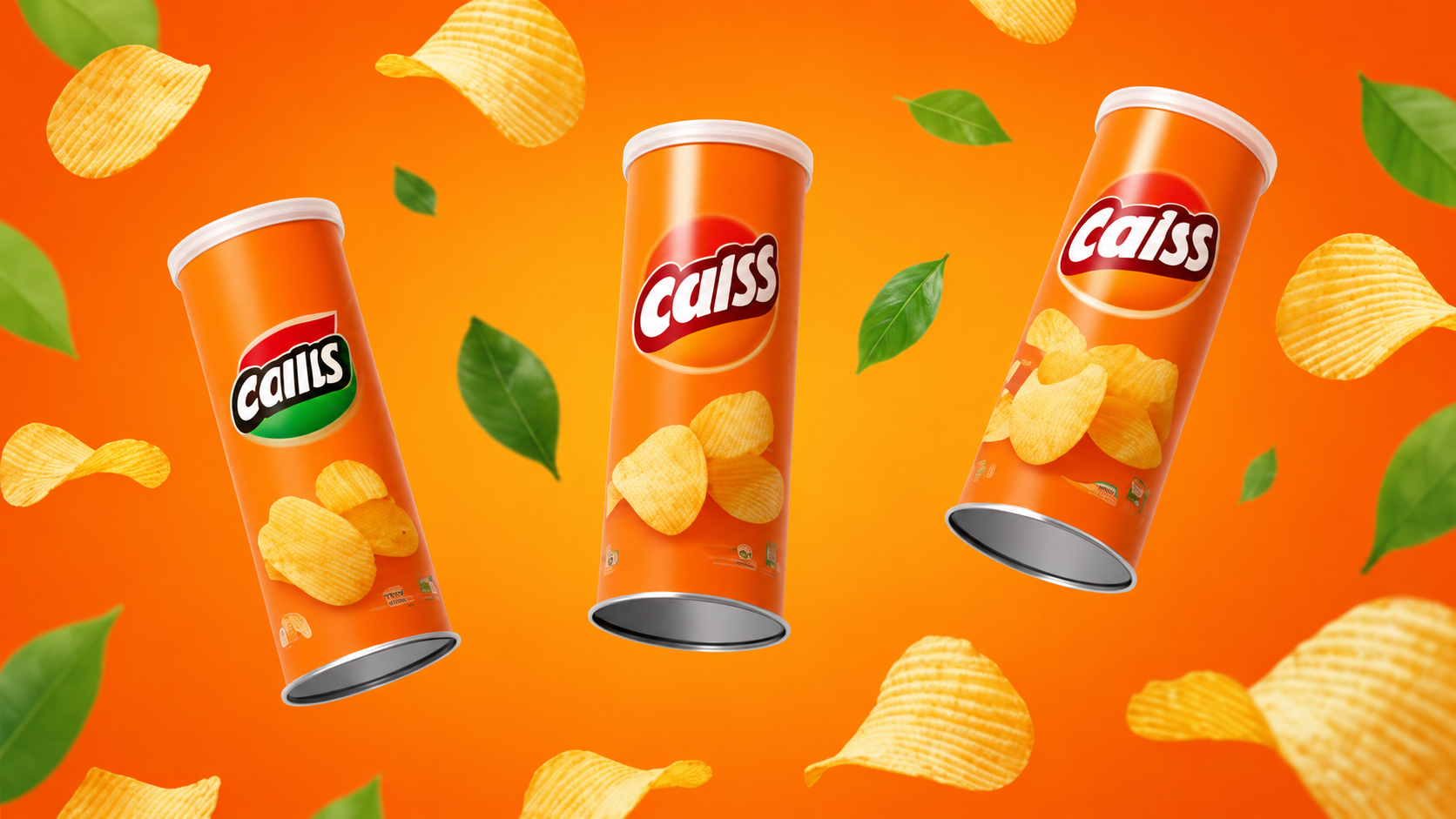
High-saturation commercial snack ad with an orange-yellow gradient studio background, floating green leaves, and rippled chips. Three floating cylindrical chip cans in a triangular composition, center facing front and sides tilted. Bright orange packaging, white lids, metallic bases, and chip graphics. Realistic photography, bright soft highlights, clean frame, strong impact. For product posters and ecommerce hero visuals.
Kling product campaign example
02

Character reference refinement

Describe what you want to generate
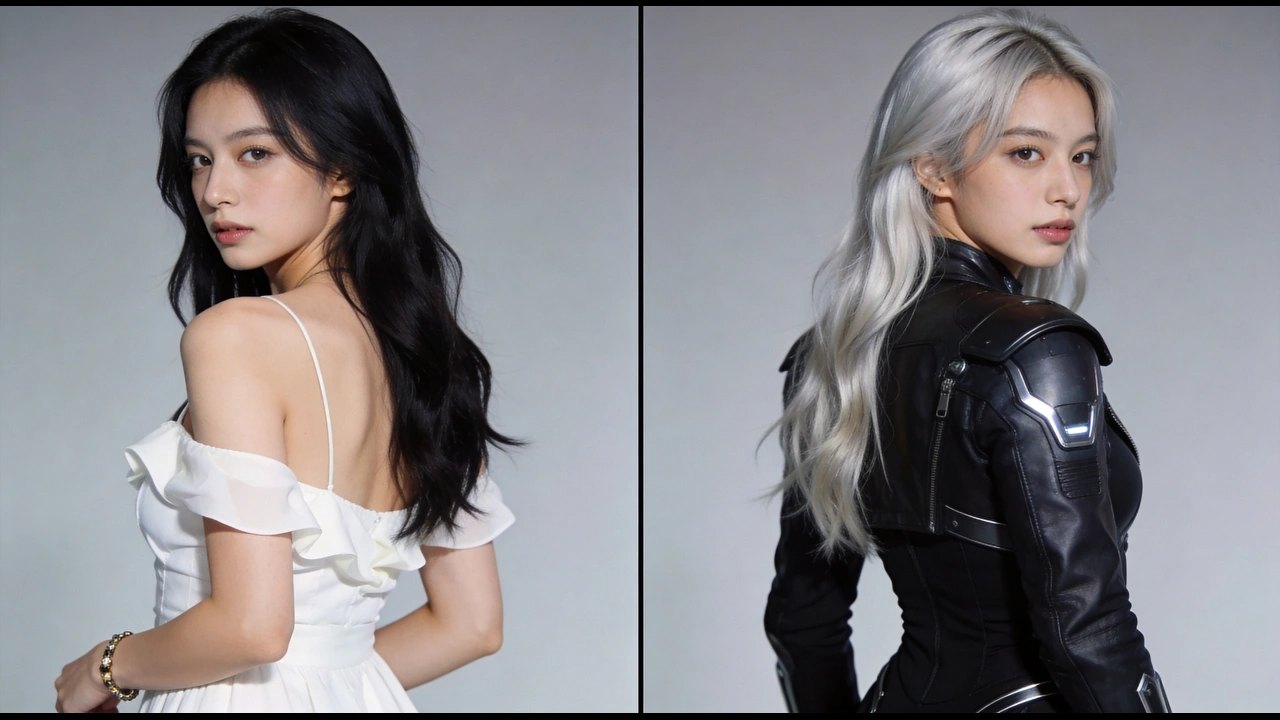
Keep the person's facial features, identity, over-the-shoulder pose, half-body framing, gray studio background, and soft light unchanged. Change the black long hair to long silver-white waves. Replace the white off-shoulder dress with a black futuristic tactical battle suit with leather texture, metallic shoulder armor, and tech details. Present the result as a realistic commercial-photo sci-fi character upgrade.
Kling character refinement example

Best Kling omni image settings

Start from the publishing use case, then decide whether the next iteration needs more references or stronger polish.

Kling v3 omni

Landing page hero still

Best when the visual needs room for the product, atmosphere, and future messaging.

Ratio
16:9
Resolution
4K
Kling v3 omni

Paid social creative

Useful for validating subject focus, campaign mood, and visual consistency quickly.

Ratio
3:4 / 9:16
Resolution
2K
Kling v3 omni

Final ecommerce visual

Use a more polished pass when material detail, clean edges, and retouch headroom matter most.

Ratio
1:1 / 3:4
Resolution
4K

Related tools

This tool uses third-party model capabilities and is not affiliated with or endorsed by the original model providers unless explicitly stated.

Frequently asked questions

How do I use the Kling AI image generator?+

Open the Kling AI image generator, choose v3 Omni, write a text-to-image or editing prompt, add up to four reference images when they improve consistency, review the settings, and generate variations.

How many reference images can I upload?+

The current interface supports up to 4 reference images, and each uploaded image must be 20MB or smaller.

What kinds of projects fit Kling omni image?+

It is a good fit for product stills, character refinement, social ad variants, and other image tasks where visual consistency matters across iterations.

When should I choose Kling omni image instead of Seedream?+

Choose Kling omni image when reference control, subject consistency, and image-to-image stability matter more. Choose Seedream when text-to-image generation, high-resolution output, or dense information design is the priority.

Related articles