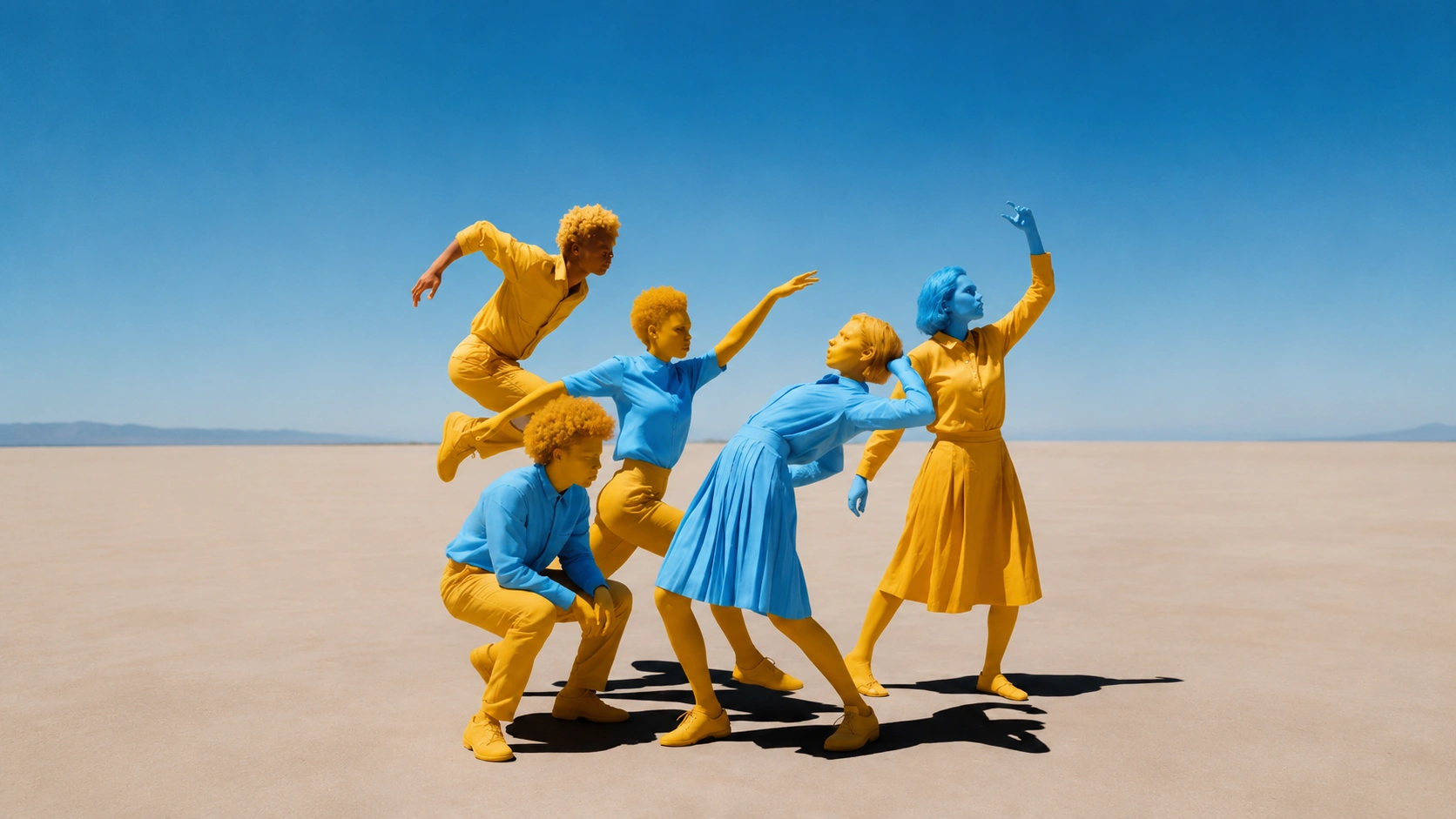
An indie game studio needs a set of character posters in a bold illustrated style, but the concept artist is booked for two weeks. A social media manager wants to test five different thumbnail ideas for a YouTube video before the publish deadline in three hours. A campaign team needs a moodboard that captures a playful, colorful direction for a summer product launch, and they need it before the creative briefing starts in the morning. These are the jobs Nano Banana 2 was built for — fast visual ideation where the priority is getting a strong direction quickly, not producing a final print-ready asset on the first pass.
Nano Banana 2 accepts a text prompt, visual style, character or product subject, mood, format, and iteration goal as inputs. It is designed for speed and creative exploration. The model generates expressive images that work well as concepts, references, thumbnails, and moodboard elements. When the project needs final polish or photorealistic output, you can move the strongest Nano Banana 2 result into Seedream or GPT Image for refinement.
When Nano Banana 2 is the right choice
Not every image task needs fast ideation. If you need a photorealistic product shot for a marketplace listing, start with Seedream or Imagen. If you need precise text rendering in an image, GPT Image handles that better. Nano Banana 2 earns its place when the brief includes at least one of these conditions:
- The team needs to explore multiple visual directions quickly before committing to a final concept.
- The output is a character illustration, poster concept, social thumbnail, or moodboard element where expressiveness matters more than photorealism.
- The project is in an early creative phase and the images will be used as references or discussion starters, not final published assets.
- The team wants to generate a set of variations (different styles, moods, or compositions) to compare in a creative review.
If none of these apply, start with a model that matches your output requirements more closely. You can always use Nano Banana 2 for early exploration and then refine the best result in another model.
Preparing your inputs
The quality of an AI output depends heavily on the quality of the brief. Before opening the generator, write down the intended asset, the audience, the channel, and the reason the asset needs to exist. A character poster for a game launch, a social thumbnail for a YouTube video, a campaign moodboard for a client presentation, and a product concept for an internal review all need different instructions. If you skip this planning step, the model may still produce something interesting, but it will be harder to decide whether the result is actually useful.
For Nano Banana 2, the most useful inputs are prompt, visual style, character or product subject, mood, format, and iteration goal. Treat each input as a control surface. The prompt controls language and intent. The visual style controls the artistic direction. The subject defines what matters most in the frame. The mood sets the emotional tone. The format controls where the asset can be published. The iteration goal decides whether this generation is exploration, draft, or final candidate.
Do not start with a giant prompt. Start with a compact brief that names the subject, setting, visual style, mood, and output purpose. Then expand only when the output shows a specific weakness. If the character looks generic, add specific traits (hairstyle, outfit details, accessories). If the mood is wrong, add emotional language (energetic, melancholic, playful, tense). If the composition is flat, add depth cues (foreground element, layered background, dramatic perspective). If the style is inconsistent, add style references (cel-shaded, flat design, retro poster, watercolor texture).
How Nano Banana 2 fits a connected workflow
OpenVideoMaker is strongest when you use it as a connected workflow instead of a one-off generator. A typical workflow starts with a content goal, moves into image or video creation, then loops through prompt refinement and asset review. The important point is that each generated asset should become more useful in the next step, not simply add clutter to the asset library.
For image-heavy projects, start by generating or selecting a clean reference frame. Use GPT Image, Seedream, Imagen when the project needs still images, product concepts, references, or visual direction. Once the still frame is working, continue into Seedance, Veo, Kling if the campaign needs motion. For video-heavy projects, begin with the motion brief, then decide whether a source image, first frame, last frame, or reference video would give the model a better anchor.
Users looking for a direct workflow should enter through Nano Banana AI Image Generator. Users comparing broader options should browse AI Video Generator or AI Image Generator. Users who need prompt help should review Image to Video Prompts, Product Video Prompts, or Seedance Prompts.
What makes Nano Banana 2 different
- Fast visual ideation: the model generates expressive images quickly, which makes it ideal for the early creative phase when the team needs to see multiple directions before choosing one.
- Character-style exploration: Nano Banana 2 handles illustrated, stylized, and playful character designs well, producing images with personality and visual interest rather than generic stock-photo aesthetics.
- Social creative variation: the model is good at generating sets of variations that share a subject but differ in style, mood, or composition, which is useful for A/B testing thumbnails and social assets.
- Playful campaign concepts: the model's strength in expressive, non-photorealistic styles makes it a natural fit for campaign concepts that need energy, color, and personality rather than corporate polish.
- Low-friction image testing: because the model is fast and the outputs are expressive, teams can afford to generate many variations and discard the ones that do not work without burning through credits.
These strengths should shape how you write prompts and review outputs. If the strength is speed, use the first outputs to test direction rather than expecting final polish. If the strength is character style, write prompts that describe the character's personality and visual traits in detail. If the strength is variation, generate a set of options and compare them against the campaign goal before refining any single one.
This is also where many teams waste credits. They choose a model because it is new, not because it fits the job. A better habit is to choose the workflow first. Decide whether the task is exploration, draft, final candidate, prompt research, or campaign review. Then pick the model and settings that match that stage.
Step-by-step workflow
1. Define the asset and channel
Write a one-line production brief before you generate. The line should include the asset type, channel, subject, and purpose. For example: create a character poster for a game launch social campaign, create a YouTube thumbnail for a product review video, or create a moodboard image for a summer campaign creative briefing. This prevents the prompt from becoming a vague pile of style words.
2. Choose the visual direction
Decide on the visual style before you write the prompt. Is the direction illustrated, photorealistic, cel-shaded, retro, minimalist, or maximalist? Nano Banana 2 works best when the style is clearly stated. A prompt that says "bold illustrated style with flat colors and thick outlines" will produce more consistent results than one that says "make it look cool."
3. Write the first prompt
The first prompt should be plain and testable. Name the subject, describe the scene or composition, state the mood or emotional tone, add style language, and finish with the output format. Avoid stacking too many competing instructions. A prompt that asks for photorealistic product photography, anime character design, vintage poster typography, and minimalist composition at the same time will be difficult to judge.
4. Generate a set of variations
Unlike models where you generate one baseline and refine, Nano Banana 2 rewards generating a small set of variations upfront. Try three to five prompts that share the same subject but differ in style, mood, or composition. This gives you a comparison set that shows which direction has the most potential before you invest time in refinement.
5. Refine the strongest direction
Once you identify the strongest variation, refine it. Adjust the composition, add detail to the subject, tighten the style description, or change the mood language. Change only one variable at a time so you can understand what caused the improvement.
6. Review with a checklist
Before keeping an output, check subject consistency, visual clarity, style coherence, composition, background distractions, and publishing fit. For commercial work, also check rights, brand rules, provider terms, and whether the result needs human retouching before release. A beautiful generation that cannot be approved is not a finished asset.
Prompt framework
A reliable prompt for Nano Banana 2 has five parts: subject, context, mood, style, and constraint. The subject tells the model what matters most. The context gives the scene enough grounding. The mood sets the emotional tone. The style defines the visual language. The constraint protects the output from common failures such as unreadable text, style drift, busy backgrounds, or too many competing elements.
Use this structure:
Subject: [main character, product, scene, or concept]
Context: [environment, setting, audience, campaign goal, channel]
Mood: [energetic, playful, dramatic, calm, mysterious, nostalgic]
Style: [illustrated, cel-shaded, flat design, retro poster, watercolor, bold graphic]
Constraints: [keep subject recognizable, no unreadable text, no logos, simple background, consistent style]
The framework is intentionally simple. It works because it separates the parts of the brief. If the result fails, you can diagnose the failing part. If the character is wrong, improve the subject line. If the mood is off, improve the mood line. If the style is inconsistent, tighten the style description. If the result contains artifacts, tighten the constraints.
Example prompts
Stylized character poster
Create stylized character poster for Nano Banana 2. A warrior with silver armor and a scar across the left eye, standing in a ruined temple with broken columns, dramatic low-angle perspective, intense and determined mood, bold illustrated style with thick outlines and flat color fills, vertical poster format. Keep the armor detail consistent, no unreadable text, no logos.
When you test this inside OpenVideoMaker, change only one variable at a time: the mood, the style, the composition, the background, or the character detail. That makes the next result easier to compare with the previous one.
Playful product campaign
Create playful product campaign for Nano Banana 2. A pair of colorful sneakers floating above a pastel gradient background with small confetti particles, energetic and fun mood, bold graphic style with clean shapes and vibrant colors, square social media format. Keep the sneaker design consistent, no unreadable text, no logos, simple background.
Social thumbnail set
Create social thumbnail set for Nano Banana 2. A surprised face with wide eyes and open mouth, bright solid color background, energetic and attention-grabbing mood, bold cartoon style with exaggerated expressions, horizontal 16:9 YouTube thumbnail format. Keep the facial expression clear and readable at small sizes, no unreadable text, no logos.
Use cases
Character visual
An indie game studio is developing a fantasy RPG and needs character visuals for a Kickstarter campaign page. The art director has written character descriptions but the concept artist is unavailable for two weeks. The team needs something visual to show potential backers while they wait for the final art.
Write a prompt for each character based on the written description. For a character described as "a rogue with green cloak, leather bracers, and a sly grin," the prompt might be: "A rogue character wearing a deep green hooded cloak and worn leather bracers, standing in a shadowy alley with one hand on a dagger hilt, sly confident grin, mysterious and cunning mood, bold illustrated style with rich shadows and warm highlights, vertical character portrait format. Keep the cloak and bracer details consistent, no unreadable text, no logos." Generate three variations with different moods (mysterious, confident, playful) and compare which one best matches the game's tone. Use the strongest result as a reference for the concept artist when they become available.
A practical workflow is to create one conservative version first, then use that result as the baseline for more expressive variations. For example, keep the same character while changing the mood, the background, or the style intensity. This gives you a useful comparison set instead of a folder of unrelated outputs. The best generation is rarely the first one; it is usually the version that survives a careful comparison against the campaign goal.
Poster concept
A music festival organizer needs poster concepts for a summer event. The theme is "retro future" — a blend of 1980s synthwave aesthetics and futuristic cityscapes. The poster needs to work both as a printed A2 poster and as a social media image. The team wants to see three different directions before choosing one.
Write three prompts that share the "retro future" theme but differ in composition and mood. First: "A neon-lit cityscape at sunset with a giant holographic DJ stage, retro synthwave style with pink and cyan color palette, energetic and electric mood, vertical poster format." Second: "A vintage car driving on a glowing highway toward a futuristic skyline, retro poster style with sunset gradients and chrome reflections, nostalgic and adventurous mood, vertical poster format." Third: "A pair of sunglasses reflecting a neon city, close-up composition, bold graphic style with geometric shapes and vibrant colors, cool and confident mood, vertical poster format." Generate all three, compare them in a team review, and refine the strongest direction.
Social ad idea
A direct-to-consumer brand is launching a new flavor of sparkling water and needs social ad images for Instagram and TikTok. The brand's visual identity is playful, colorful, and minimal. The team needs to test different visual approaches before committing the budget to a full photoshoot.
Write prompts that feature the product in different playful scenarios. "A can of sparkling water with a splash of citrus fruit exploding around it, bright yellow and white color palette, energetic and refreshing mood, bold graphic style with clean shapes, square Instagram format." "A can of sparkling water sitting on a pool float in a pastel blue background, relaxed and summery mood, flat illustration style with soft shadows, vertical Instagram Story format." "Multiple cans of sparkling water arranged in a pattern with fruit slices, playful and abundant mood, pop art style with bold outlines and saturated colors, square format." Generate all three, test them as social ads with a small budget, and use the performance data to decide which direction the photoshoot should follow.
Creator thumbnail
A YouTube creator needs thumbnails for a series of tech review videos. The channel's style is bold and expressive — bright colors, exaggerated reactions, and clean composition that reads well at small sizes. The creator has been spending 30 minutes per thumbnail in Photoshop and wants to speed up the process.
Write a prompt template that can be adapted for each video. "A person with an exaggerated surprised expression, holding a smartphone with a glowing screen, bright solid color background in [color], energetic and attention-grabbing mood, bold cartoon style with thick outlines and saturated colors, horizontal 16:9 YouTube thumbnail format. Keep the expression clear and readable at small sizes, no unreadable text, no logos." Change the [color] and the device for each video. Generate three variations per video, pick the strongest one, and optionally refine it in Photoshop for final text overlay. This cuts the thumbnail production time from 30 minutes to 5 minutes per video.
Campaign moodboard
A creative agency is preparing a pitch for a children's toy brand. The creative director wants a moodboard that captures a "playful, colorful, imaginative" direction. The moodboard needs to include character concepts, environment ideas, color palette references, and product styling directions. The pitch is tomorrow morning.
Generate a set of images that cover different aspects of the moodboard. For characters: "A friendly robot character with round shapes and bright primary colors, waving at the viewer, playful and welcoming mood, soft 3D illustration style, square format." For environments: "A colorful playground with oversized building blocks and a rainbow slide, bright and cheerful mood, flat illustration style with clean shapes, wide format." For color palette: "A set of abstract shapes in primary colors (red, blue, yellow) with green and orange accents on a white background, playful and energetic mood, minimalist graphic style, square format." For product styling: "A toy robot on a bright yellow background with confetti particles, fun and exciting mood, bold product photography style with clean lighting, square format." Arrange the generated images on a moodboard layout and present them at the pitch. The visual direction is now tangible and discussable, even though the final assets will be produced later.
Quality checklist
Use this checklist before you keep a generation:
- Subject accuracy: the main subject should remain recognizable and should not gain unwanted details.
- Style coherence: the visual style should be consistent throughout the image — no mixed styles that clash.
- Composition: the frame should have enough breathing room for the channel where it will appear.
- Mood match: the emotional tone of the image should match what the brief requested.
- Background control: the background should support the subject instead of competing with it.
- Text and logos: avoid relying on generated text unless the model and use case are specifically suited for it.
- Format fit: check ratio, resolution, and crop safety before using the asset in a campaign.
- Legal and brand review: confirm rights, likeness, trademarks, product claims, and provider terms before publication.
The checklist matters because AI media can look impressive while still failing the brief. An image may have beautiful colors but show the wrong character details. A thumbnail may be eye-catching but unreadable at small sizes. A moodboard image may be stylish but not match the campaign direction. Review each output against the job it was supposed to do.
Common mistakes
The first common mistake is using broad keywords as prompts. Phrases like "cool character design" or "best social media image" describe the category, not the visual. A model needs specifics: what character, what style, what mood, what composition, and what should stay consistent.
The second mistake is asking for too many styles in one prompt. A prompt that asks for photorealistic lighting, anime character design, vintage poster typography, and minimalist composition at the same time will produce a confused output. Pick one style direction and commit to it.
The third mistake is treating Nano Banana 2 as a final production tool. The model is designed for fast ideation and creative exploration. If the output needs to be print-ready, brand-perfect, or photorealistic, plan to refine the strongest result in another model or in post-production.
The fourth mistake is generating without a comparison plan. Nano Banana 2 rewards generating sets of variations, but those variations are only useful if you can compare them against a clear goal. Write the campaign goal down before you generate, and use it as the standard for comparison.
The fifth mistake is publishing without review. AI output should be checked for accuracy, rights, brand safety, and channel fit. This is especially important for social media, advertising, and any workflow involving likeness or product claims.
Related pages
Use Nano Banana AI Image Generator when the current article matches your immediate task. Use AI Image Generator when you need the next step in the workflow. Use AI Image Generator when the brief still needs a strong still frame. Use AI Video Generator when the project needs movement, timing, or camera behavior. Use prompt pages when the hardest part is explaining the desired motion clearly.
FAQ
Is Nano Banana 2 the best choice for every project?
No. The best choice depends on input type, output channel, review speed, and creative goal. Nano Banana 2 is useful when it fits the workflow described above, but another OpenVideoMaker model or tool may be better when the project needs a different reference type, output style, or iteration pattern.
How should I write the first prompt?
Start with a direct production brief. Name the subject, describe the context, add the mood, choose the visual style, and include the most important constraint. Keep the first prompt simple enough that you can understand why the output succeeded or failed.
Should I use a reference image?
Use a reference image when it improves control. It is especially helpful for product, character, portrait, and composition-sensitive work. Do not use a weak reference just because the workflow supports one. A clean prompt can outperform a messy reference.
How many variations should I generate?
Generate enough variations to compare direction, but not so many that review becomes random. Three to five focused variations are often more useful than twenty unrelated attempts. Change one variable at a time so the team can understand what caused the improvement.
Can I use outputs commercially?
Commercial use depends on your assets, your rights, the provider terms, and the final content. Review product claims, brand rules, likeness permissions, trademarks, and publishing requirements before using any generated asset in a public campaign.
Final workflow
The best way to use Nano Banana 2 is to treat generation as a controlled creative loop. Start with a clear brief. Prepare the input. Write a structured prompt. Generate a set of variations. Compare them against the campaign goal. Refine the strongest direction. Keep the best output. Then reuse it as a reference, campaign asset, or next-step input.
For the most direct next step, open Nano Banana AI Image Generator. If the project needs adjacent workflow support, continue with AI Image Generator. If you are still choosing between models, start from AI Video Generator or AI Image Generator and compare the model pages that fit your source material.